Headbrush: A Script Font That Earns Its Place in Real Campaigns
It was 3 p.m. on a Tuesday—two days before the launch of a new online course series—and I was tweaking the Instagram carousel for the final time. The headline needed warmth, personality, and just enough elegance to signal “this isn’t another generic tutorial.” I swapped in Headbrush, typed “Your First Real Breakthrough,” and instantly felt the tone click. Not because it looked fancy—but because it looked human. That’s when Headbrush stopped being just another script font on my desktop and started working like a quiet collaborator in the campaign.
A Typeface with Rhythm, Not Just Curves
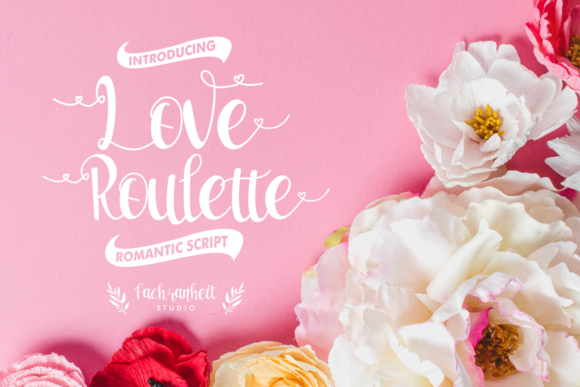
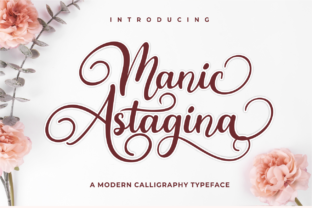
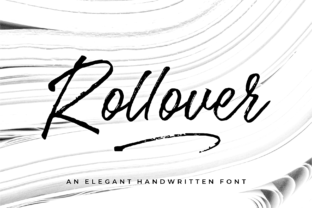
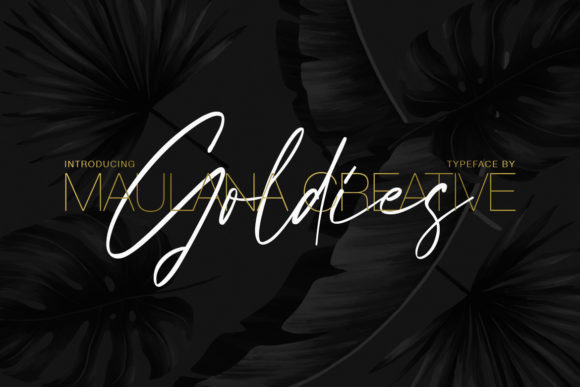
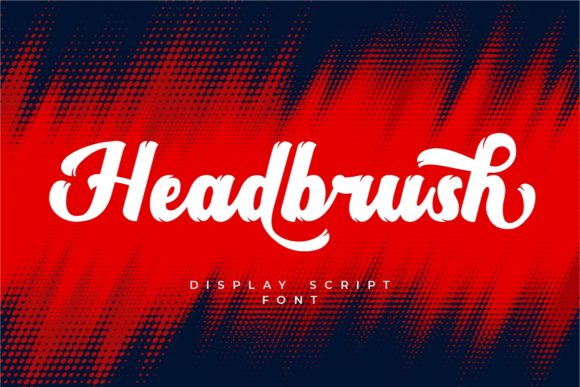
Headbrush lives in the Script Amp category for good reason: it’s built for impact, not subtlety. It’s a premium script font with confident, fluid strokes—slightly tapered, lightly textured, and consistently weighted. There’s no forced quirkiness or over-the-top flourishes. Instead, it balances control and looseness, like handwriting from someone who’s practiced but never rigid. It reads as timeless, not trendy—equally at home on a wedding invitation and a boutique skincare launch banner.
The mood is warm, approachable, and quietly confident. It doesn’t shout; it leans in. That makes it ideal for messages where authenticity matters more than authority—think “You’ve got this,” “Just launched,” or “Join us.” It’s not a corporate serif, nor a minimalist sans. It’s the kind of typeface that helps your audience feel seen before they even read the full sentence.
Where Headbrush Actually Shines (and Where It Doesn’t)
In real campaign use, Headbrush excels in short-form, high-visibility roles:
- YouTube thumbnails: Paired with bold contrast (e.g., white Headbrush on deep navy), it holds up even at 120px height—especially for titles like “Free Workshop Inside” or “New Tool, Live Now.”
- Instagram Reels covers: Works beautifully over soft-focus backgrounds or muted gradients. Its open letterforms resist visual clutter, so it stays legible during fast-scrolling feeds.
- Email banners & landing page headers: At 48–64px size, it adds character without sacrificing clarity—even on mobile previews.
- Pinterest pins & digital ads: Stands out in crowded feeds thanks to its natural rhythm and generous spacing between letters.
But let’s be practical: Headbrush isn’t meant for body copy, pricing tables, or dense feature lists. It’s not ideal for tiny text (under 24px), dark-on-dark overlays without sufficient contrast, or formal investor decks where neutrality is expected. It’s a display font first—best used for headlines, quotes, logo-style treatment, and campaign labels—not supporting text.
Pairing It Right (Without Overthinking)
I default to pairing Headbrush with a clean, neutral sans serif—something like Inter, Poppins, or Montserrat in Regular or Medium weight. Why? Because Headbrush brings voice; the sans brings structure. Together, they create hierarchy without tension. For example:
- Headbrush for “Spring Studio Sessions” (headline)
- Inter Medium for “A 4-week creative sprint for makers & founders” (subhead)
- Inter Regular for bullet points or CTA (“Reserve Your Spot”)
This combo works across formats—from a Canva template pack to a Shopify banner. Occasionally, I’ll swap in a low-contrast serif (like Lora or Playfair Display) for editorial-style quote graphics, but only when the serif is restrained and the line spacing generous. Never pair Headbrush with another script—it competes instead of complements.
Practical Checks Before You Drop It Into Campaigns
Before locking Headbrush into client work, templates, or digital products, I always verify a few things:
- File formats: Confirm it includes WOFF2 (for web), OTF/TTF (for design apps), and variable font support if needed.
- Weights & alternates: Headbrush includes stylistic sets and ligatures—use them sparingly (e.g., the “&” or “ff” ligature in a logo lockup), not everywhere.
- Licensing: Double-check commercial font licensing—especially for digital ad platforms, SaaS dashboards, or merch. Script Amp fonts typically cover broad usage, but always confirm scope for client projects or resellable assets.
- Readability on dark mode: Test white Headbrush on charcoal (#1a1a1a) or deep indigo—not pure black. Pure black can flatten its texture.
- Multilingual needs: If your campaign targets non-English audiences, check glyph coverage. Headbrush supports extended Latin, but not Cyrillic or CJK.
One quick tip: When using Headbrush in Canva or Figma, avoid auto-kerning. Manual tracking adjustments (±5–10 units) often yield cleaner spacing than default settings—especially for all-caps treatments or tight layouts.
Why It Fits So Naturally in Today’s Visual Noise
We’re scrolling faster, skimming harder, and trusting less. In that environment, typography isn’t decoration—it’s a trust signal. Headbrush doesn’t try to be everything. It’s specific: human-scaled, hand-informed, digitally refined. That specificity is why it lands so well in campaigns where connection matters more than polish—online course launches, small-batch product drops, creator-led newsletters, or seasonal content series.
It won’t fix weak messaging or poor contrast. But when paired with strong visuals and intentional spacing, Headbrush helps your campaign feel intentional—not algorithm-optimized, but audience-aware. And in a feed full of uniform sans serifs and AI-generated textures, that quiet confidence is rare. And useful.